

1pcs Wifi DIY Interruptor Smart Switch Wireless Remote Controller Home Control Works with Alexa Google Home


1pcs Wifi DIY Interruptor Smart Switch Wireless Remote Controller Home Control Works with Alexa Google Home
SPECIFICATIONS
Brand Name: Szaoju
Camera Equipped: No
Certification: CE,RoHS
Choice: yes
Communication method: Wi-fi
Compatibility: others
High-concerned chemical: None
Origin: Mainland China
Specification: US Plug
State of Assembly: Almost Ready
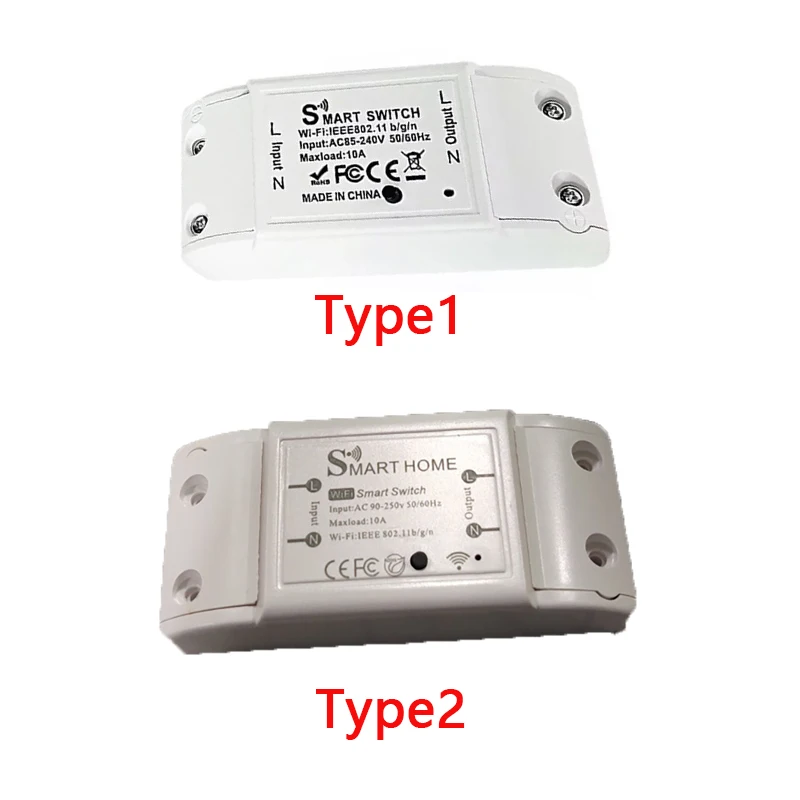
NOTE: Due to different production batches, there may be slight differences between the silkscreen print in the picture and the actual product, The system image is for reference only,we will sent the type1 or type2 by random,but the function of the product is same, so please feel free to buy!!!
• Wi-Fi Connectivity :Connects to your home Wi-Fi network, allowing you to control the switch remotely using your smartphone.
• Voice Control Compatibility :Works with Alexa and Google Home, allowing you to control the switch with your voice.
• DIY Installation :Easy to install yourself, no need for a professional installer.
• RoHS Certified :Meets RoHS standards, ensuring the product is safe and environmentally friendly.
How to add device to mobile app
1.Scan the QR-code of the manual or Search ' Smart Life ' to download and install the device's APP
2.After the wiring is completed, turn on the power and operate according to the status of the smart switch indicator:
3.If the red light of the smart switch flashes continuously at this time, it indicates that the smart switch has entered the state of waiting for connection to WiFi; then open the APP and follow the instructions to connect to WiFi.
4. If the indicator light of the smart switch is not flashing red light, please press the button of the smart switch and keep it for more than 5 seconds until the red light flashes continuously, then open the APP and connect to the WiFi according to the manual.


